How it works, step by step
Six steps, and you take each one with A2C beside you. Each application takes 30 minutes to an hour.
Start with what you already have: your CV, a cover letter you have written before, and the job ad.
A2C compares your CV with the job ad. You see where your experience fits and where the gaps are.
A2C asks about your work, so you can address the gaps. How many questions you answer depends on your CV and how closely it matches the job. The questions help you find achievements you left off your CV, so you don’t have to remember them all on your own.
A2C’s researcher looks into the company, its sector and its industry for you, and brings back what it finds. Then you decide whether you want to go ahead.
A2C puts it together with you: your answers, your own words, your past cover letter as a guide, and what the research found. You read the drafts and change what you like.
Once you approve your CV and cover letter, they’re ready to send.
Start with what you already have: your CV, a cover letter you have written before, and the job ad.
Example with a made-up person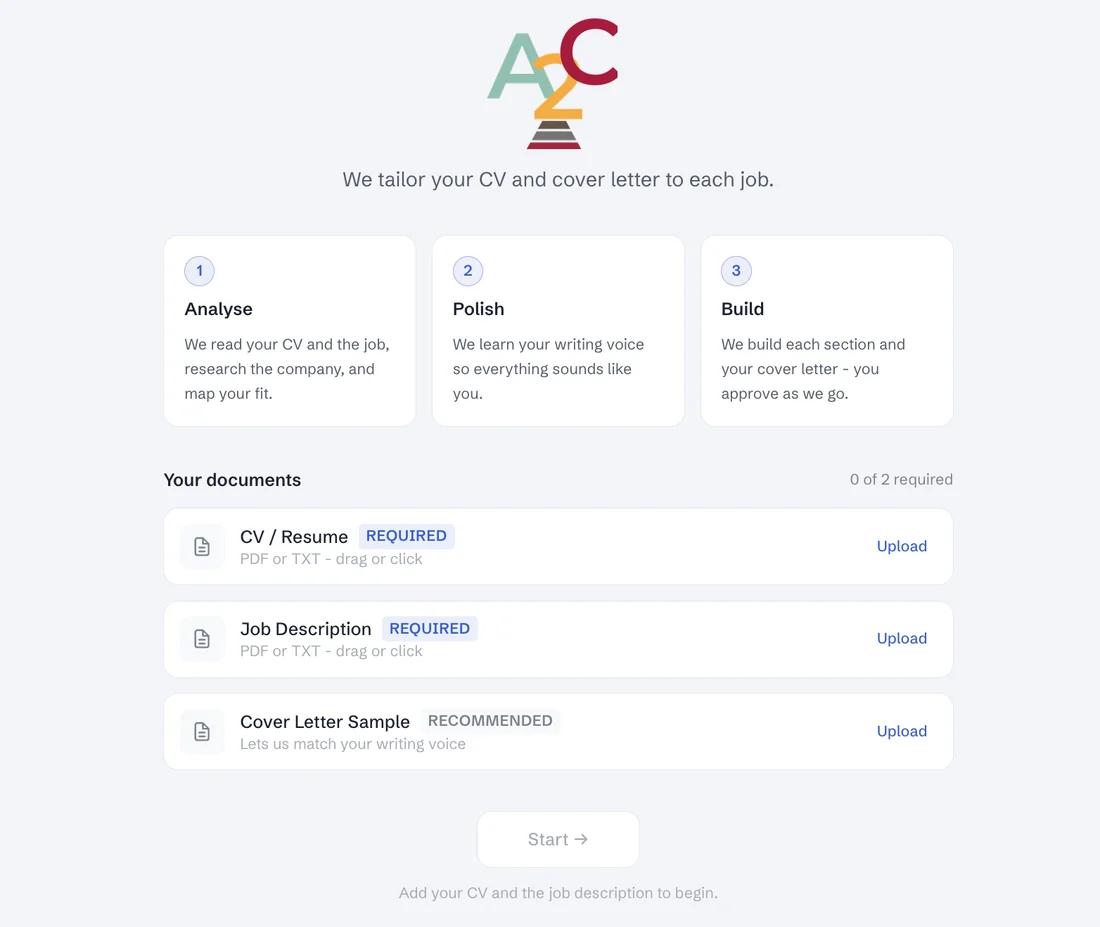
A2C compares your CV with the job ad. You see where your experience fits and where the gaps are.
Example with a made-up person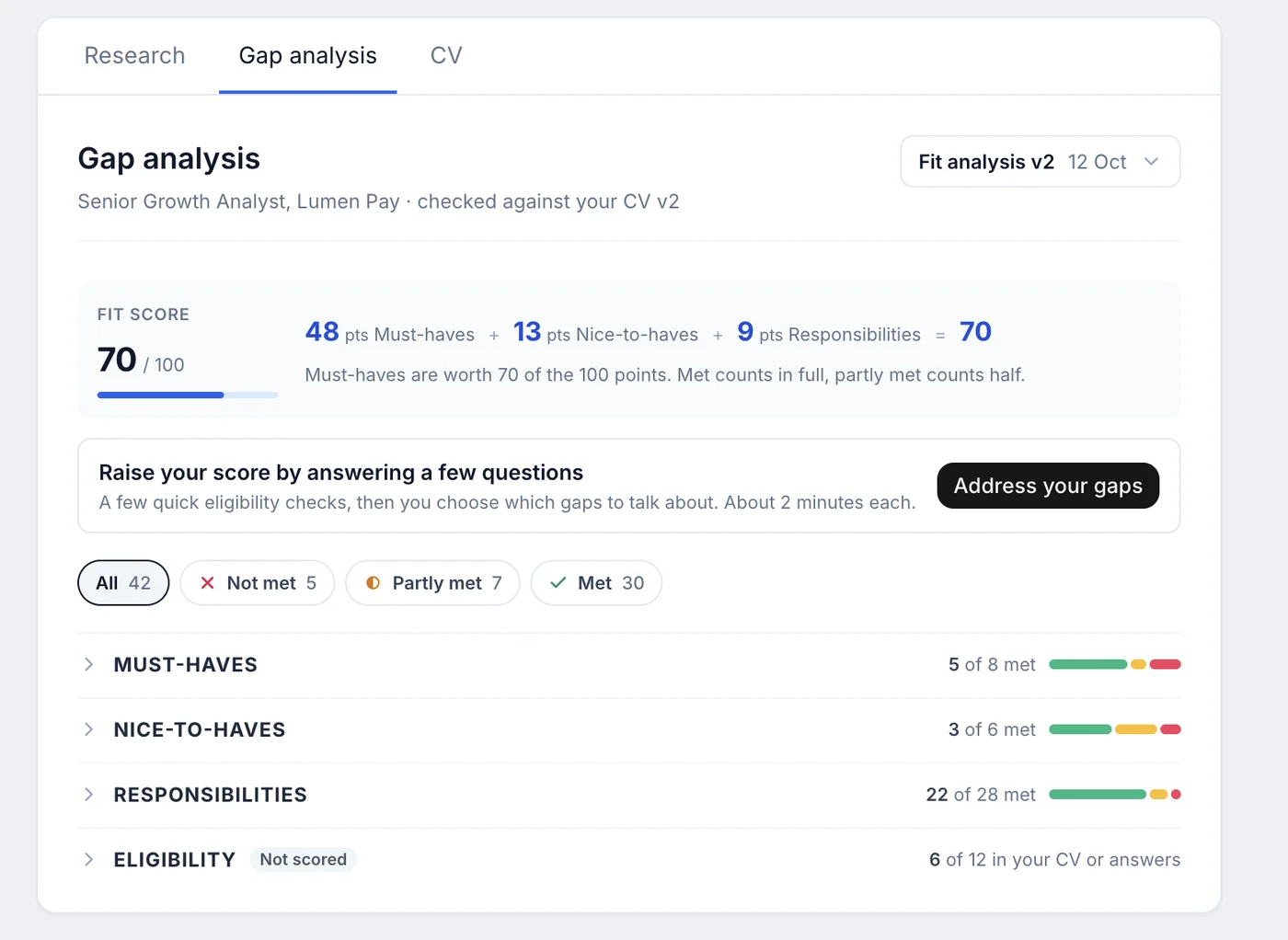
A2C asks about your work, so you can address the gaps. How many questions you answer depends on your CV and how closely it matches the job. The questions help you find achievements you left off your CV, so you don’t have to remember them all on your own.
Example with a made-up person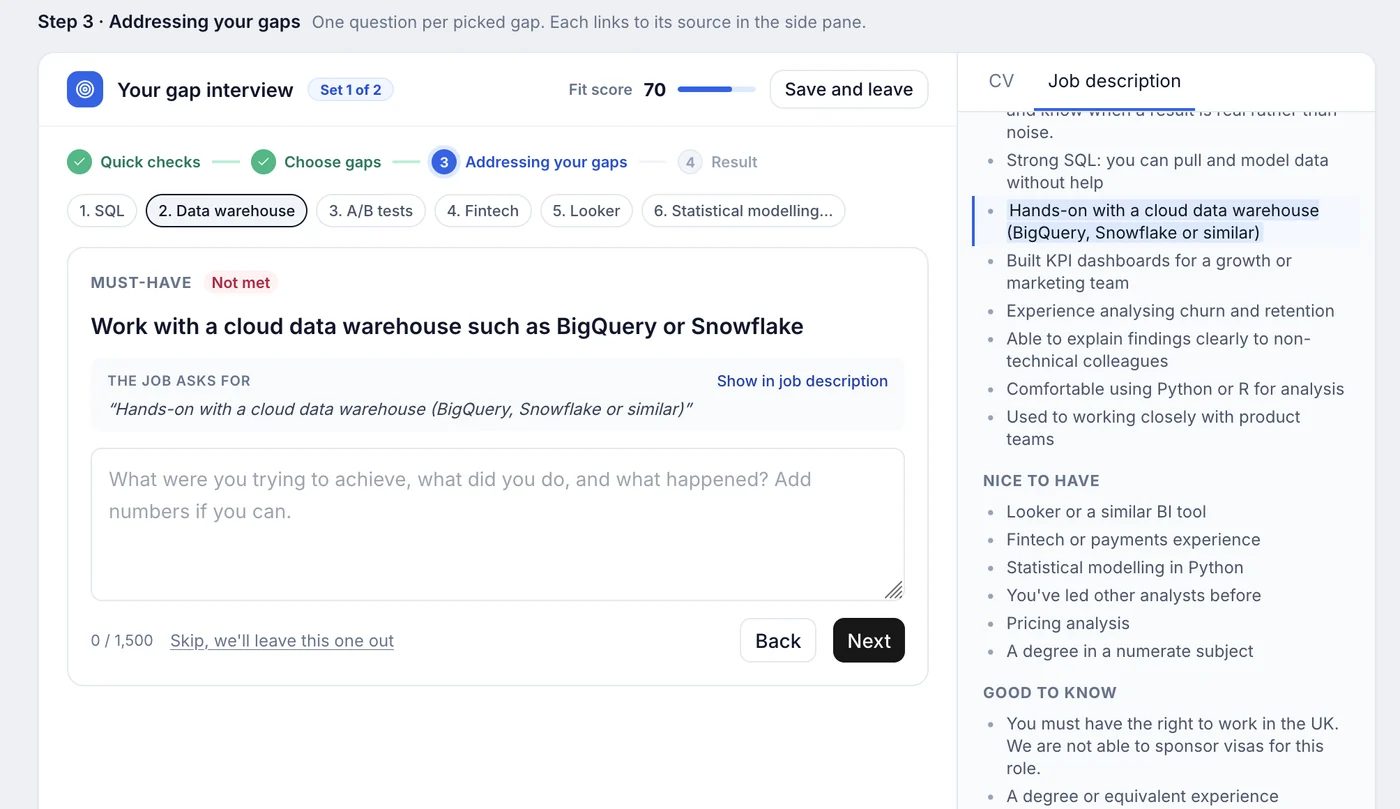
A2C’s researcher looks into the company, its sector and its industry for you, and brings back what it finds. Then you decide whether you want to go ahead.
Example with a made-up person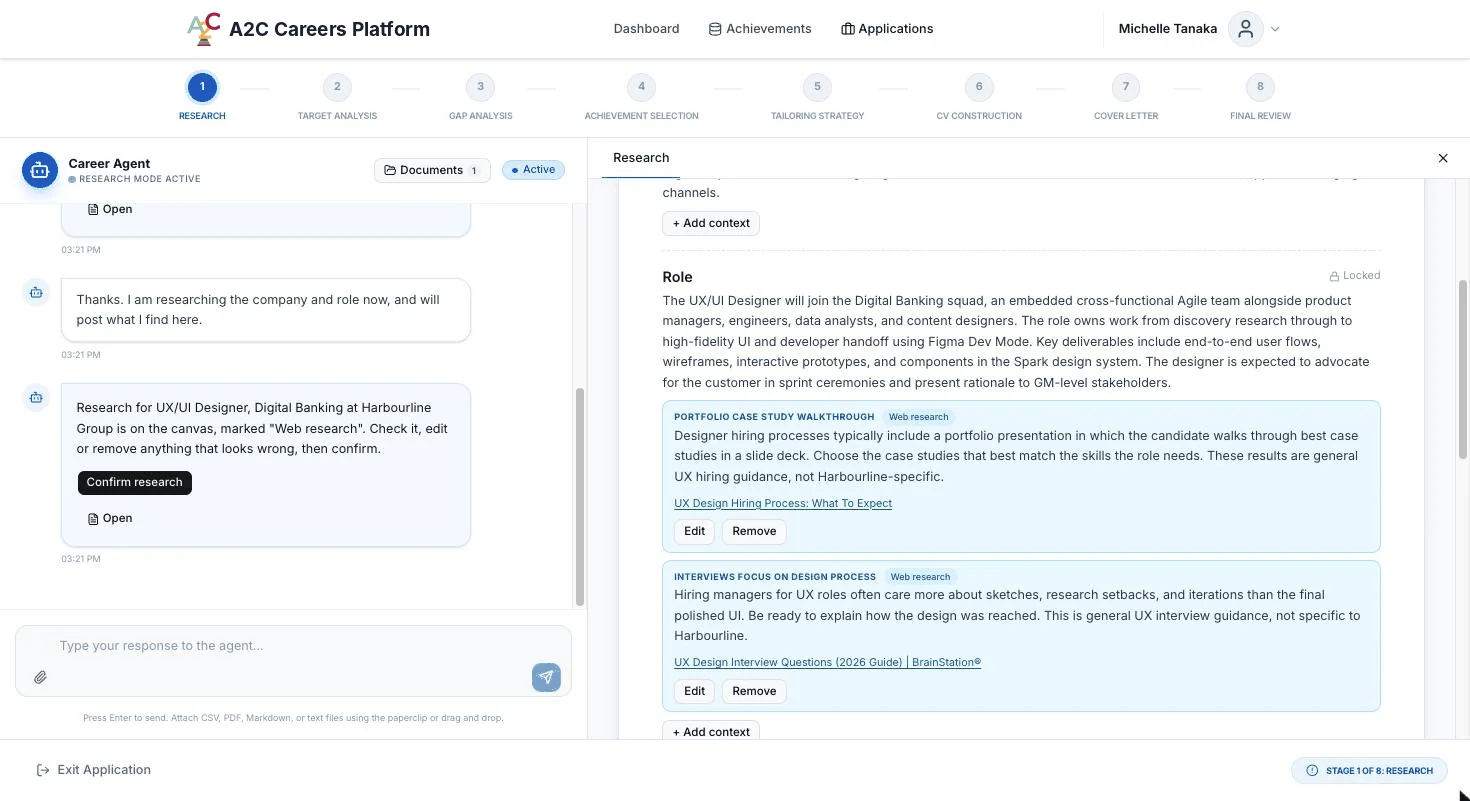
A2C puts it together with you: your answers, your own words, your past cover letter as a guide, and what the research found. You read the drafts and change what you like.
Example with a made-up person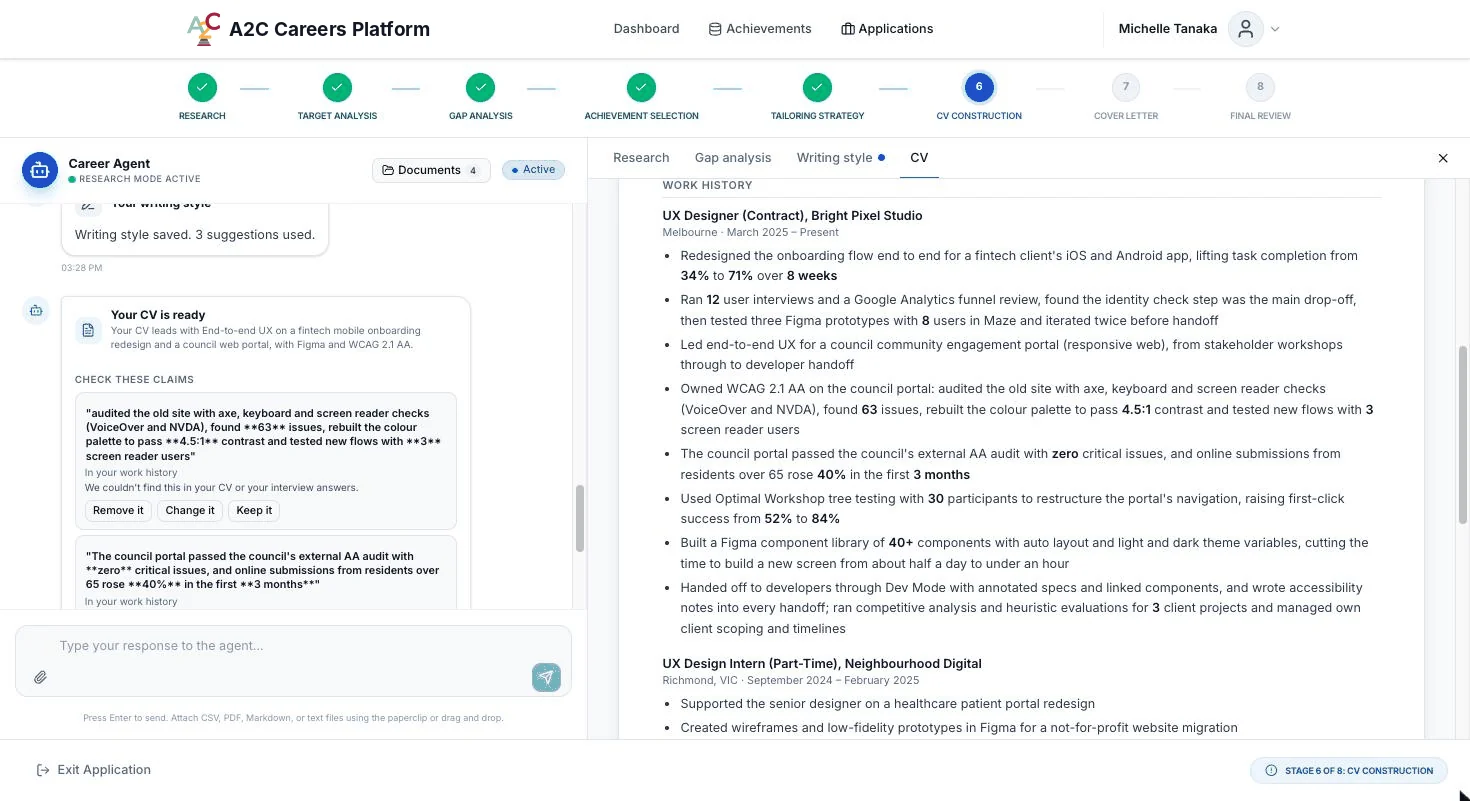
Once you approve your CV and cover letter, they’re ready to send.
Example with a made-up person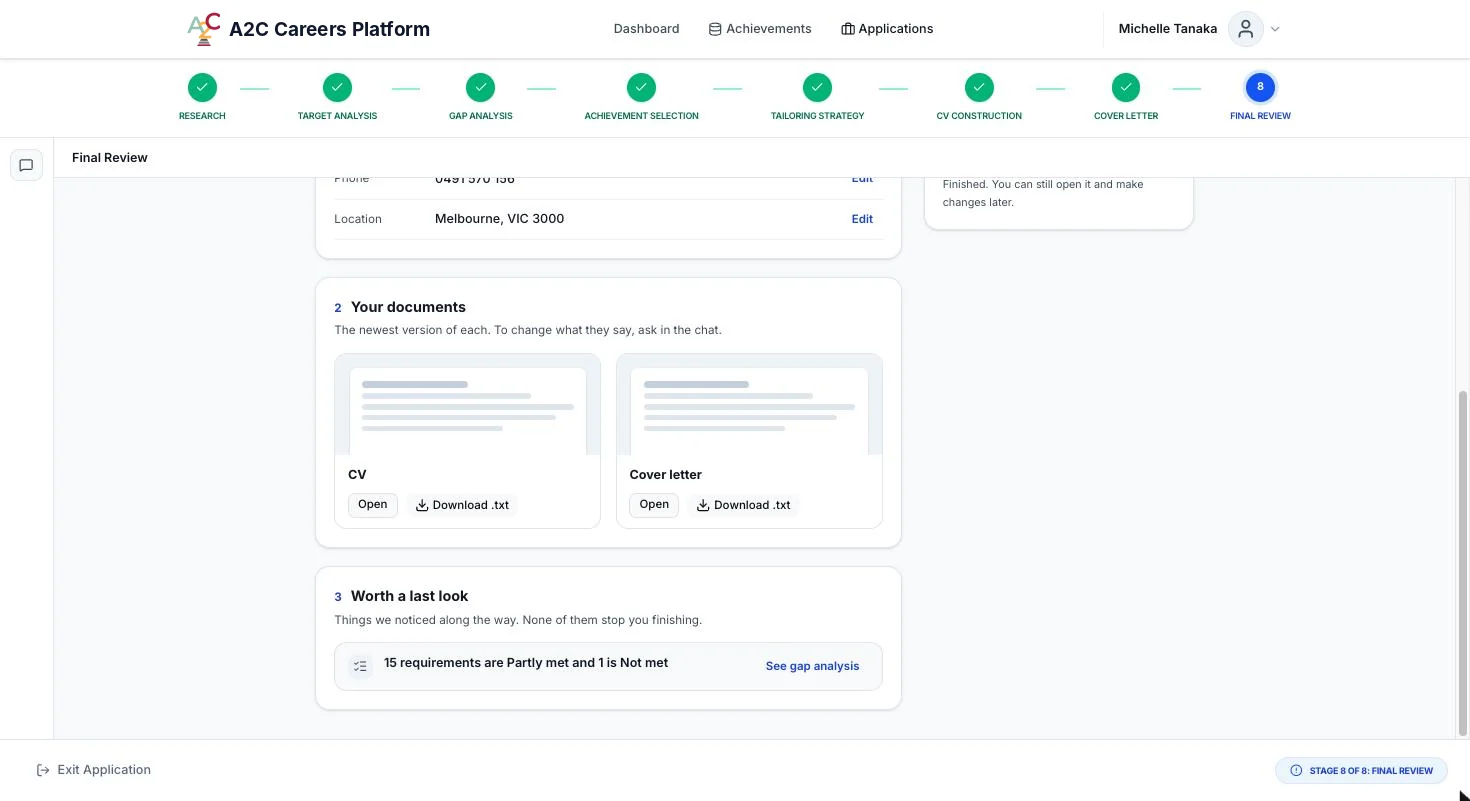
Register your interest
Fill in the short form to register your interest. Tell us whether you’d like beta testing or early access, and we’ll write back with what happens next.